
Getting started
Websites and forms
How websites and forms fit together in Mailiy and which settings every new form inherits.
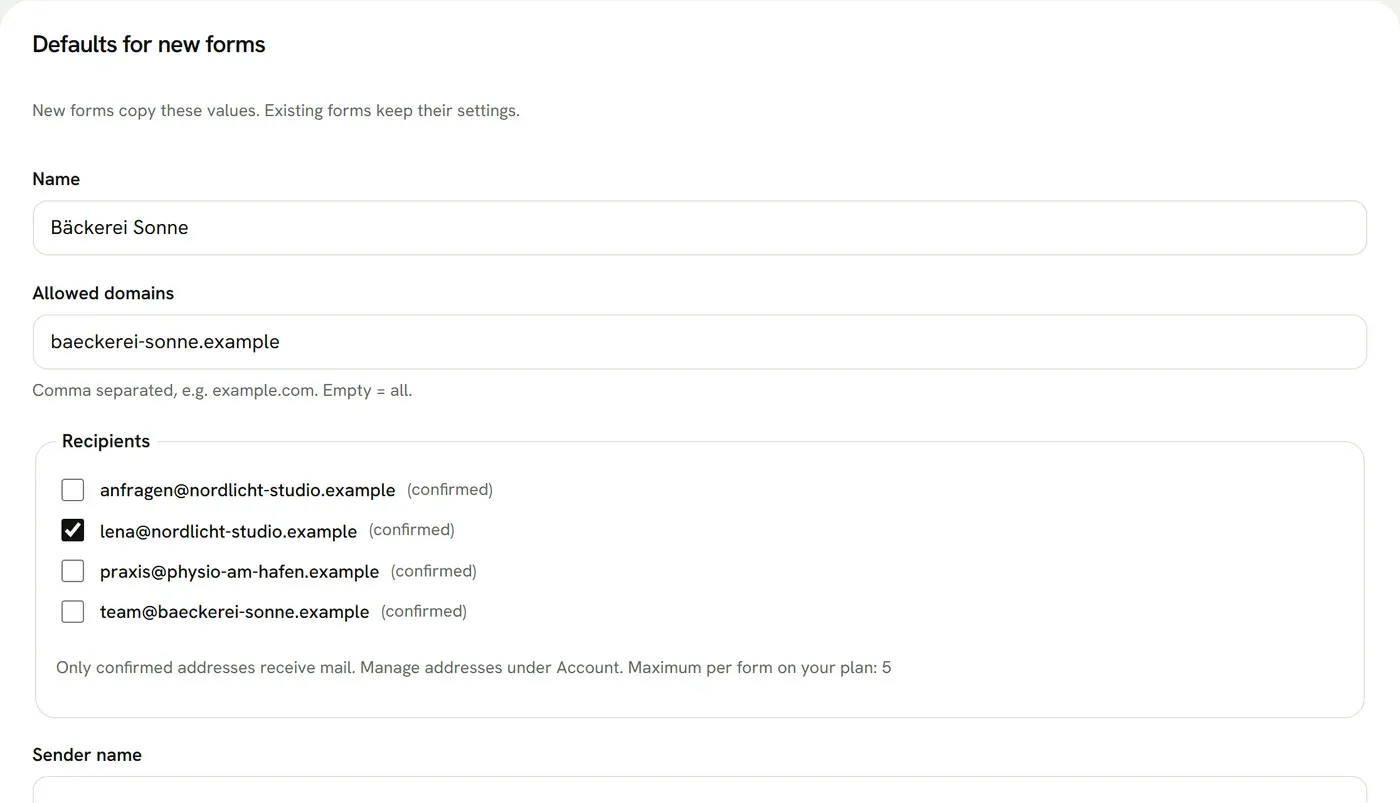
In the dashboard you create a website first, then your forms inside it. The website's recipients, sender name, allowed domains and retention are the defaults for every new form. You can change them per form afterwards.
Your plan sets how many websites, deliveries per month and recipients per form you get. Deliveries count across all forms in your account and reset on the first of each month.
Viewing and exporting submissions
Website → Submissions shows the submissions of all forms in that website in one table, 25 per page. You can filter by form and status and search field names and values. Pages and search cover 1000 submissions at a time. Older submissions sits below the table and opens the next 1000. Columns sets which fields the table shows. Clicking the date opens the full submission. The CSV export keeps your filters and columns and adds the form and the delivery status.
Copying a form and a new access key
A form's setup page has code for HTML, JavaScript, React, Astro, Next.js and Vue. Duplicate creates a copy with all settings and a new access key, without submissions. Generate new key replaces the access key: the old one stops working at once, so you have to swap the code on your website. The submissions stay with the form.